My setup
So many tools. So little time. Everyone feels the same - you have to find the tools that work for you, for the way you like to work and for the jobs you want complete. That'll involve a bunch of trial and error.
This is what I use, and when I reach for each.
Which agent for what
The  bb app is my default interface, because I can use and switch between different agent harnesses in it. Because I’m always switching harness and models.
- Pi - day to day questions, simple tasks, just normal work. And when I want my context to be what’s steering the agent. Pi is my clear head agent.
- Codex - sometimes. There’s no real reason I pick it over Pi, except the context piece.
- Droid - when I want to build something proper. I want everything handled the right way, and the code as correct as it can be. Bigger builds, like the council spend map, I built with Droid.
The context piece: Claude Code, Droid and Codex each have their own system prompt, with a lot built around the harness. Pi has the simplest setup. Its system prompt is the shortest, so the agent relies on the model’s behaviour, and that’s where my own instructions come in. They might not contradict another harness’s system prompt. But I don’t know that.
Which model
- Codex models - the ones I choose the most. Sometimes in the Codex harness, sometimes in Pi.
- Claude models - creative thinking and design, front-end work, taste and anything visual. I almost always use them in Pi. I never use the Claude Code harness.
Tools around the agents
- Supabase - when a thing is a real app: logins and a database.
- Vercel - if it’s a big full stack app, where people log in and take actions.
- here.now - every artifact gets a URL. Readable on my phone, my computer doesn’t have to be on, nothing to set up.
- tldraw - I like the canvas, and I like how I can build things with it. Diagrams, and marking up screenshots to send back to an agent.
- Zed and Obsidian - two ways I read and edit the files my agents work with. I’m in between them at the moment and I don’t know which is best. I like Obsidian because I can sync it, and it’s on my phone.
 Granola - my meeting transcripts. My agents get to them through Executor.
 Executor - how my agents get to Gmail, Slack, Granola, Supabase and the rest.
Executor
When an agent starts a session, it loads all of its tools. If you’ve got a load of tools connected, all of that goes into the session, and you might not need any of them in that session.
So Executor is the thing I load. If an agent needs one of my tools, it goes through that.
My agent instructions
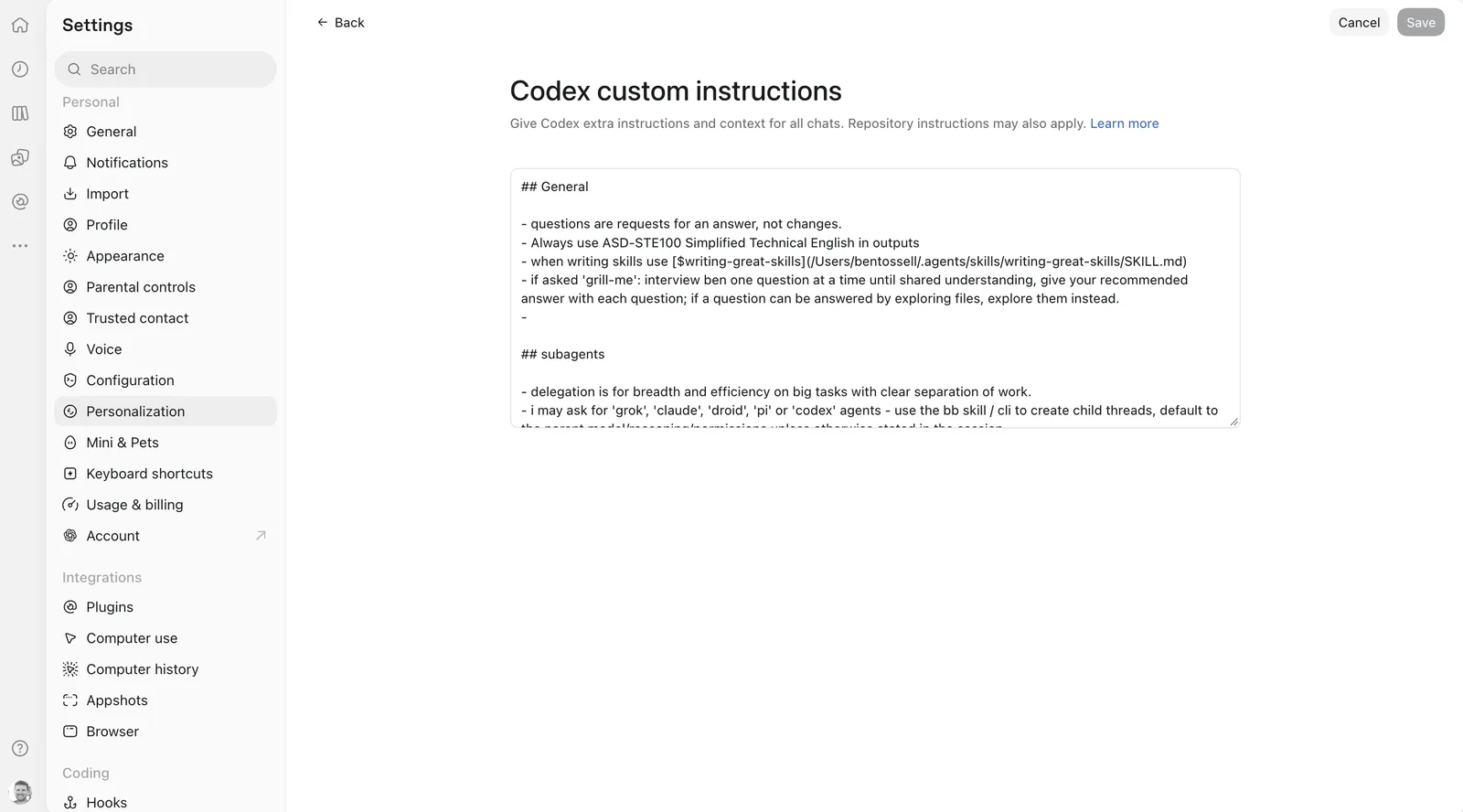
Every agent I use reads my global AGENTS.md. My personal agent, Bites, has its own instructions too, with context about me.
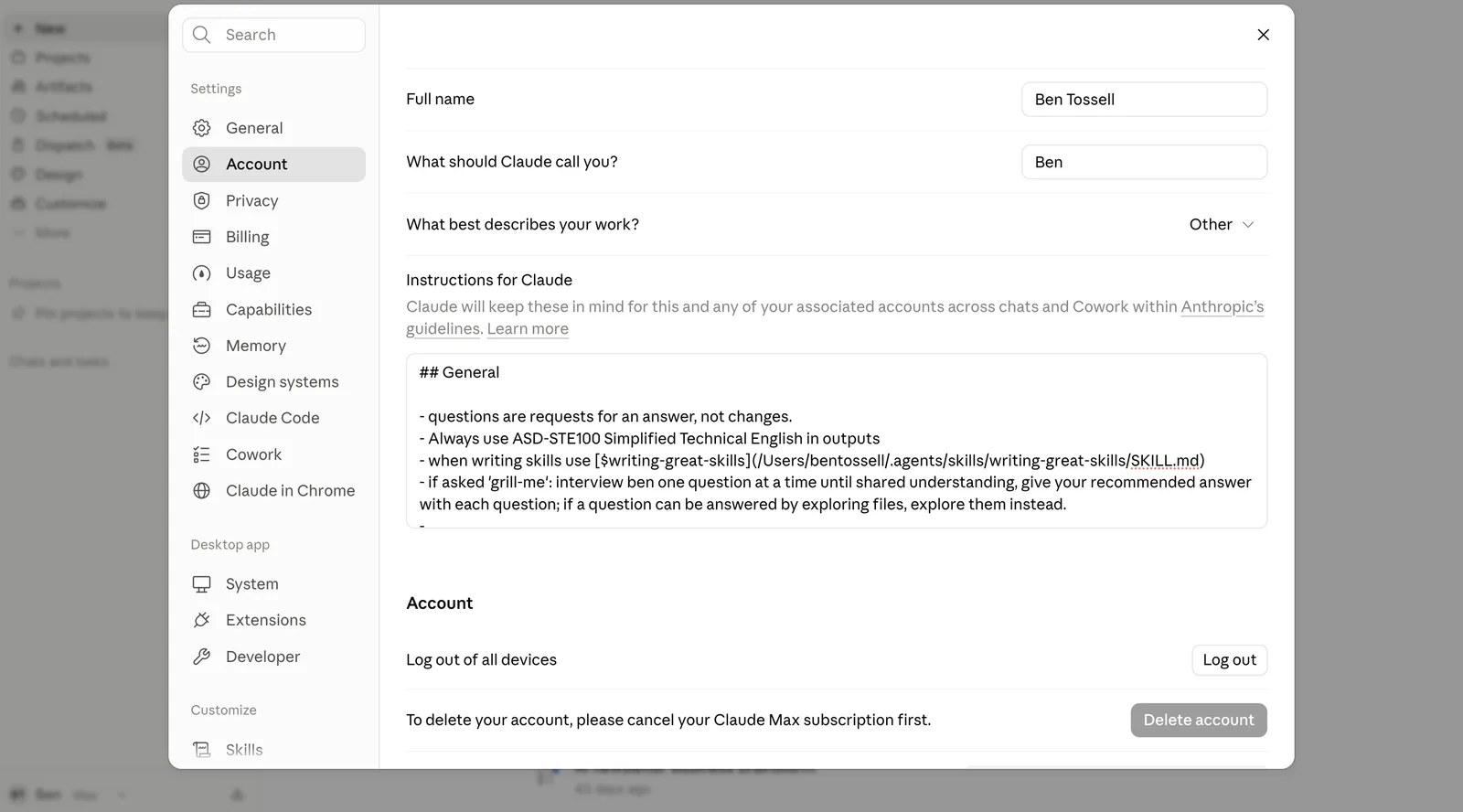
## General

- questions are requests for an answer, not changes.
- Always use ASD-STE100 Simplified Technical English in outputs
- when writing-great-skills for writing skills
- if asked 'grill-me': interview ben one question at a time until shared understanding, give your recommended answer with each question; if a question can be answered by exploring files, explore them instead.

## subagents

- delegation is for breadth and efficiency on big tasks with clear separation of work.
- i may ask for 'grok', 'claude', 'droid', 'pi' or 'codex' agents - use the bb skill / cli to create child threads, default to the parent model/reasoning/permissions unless otherwise stated in the session
- several agents may work in parallel, state ownership up front so they dont collide.

## design
- for mockups/prototypes or any non-trivial ui, layout, or copy use the emil-prototype skill. publish with the here-now skill, report the url (after doing a visual pass yourself), wait for me to pick. unless otherwise stated.
- starting preferences;
	- Rounded 8: border-radius: 8px; border: 1px solid #e5e5e5; box-shadow: none.
	- Monochrome: background: #fff; ink: #111; muted: #8a8a8a; no chromatic colour.
	- Swiss: background: #fff; color: #171a1d; border: 1px solid #171a1d; border-radius: 0; box-shadow: none.
	- clean sans-serif for body text, monospace for labels/captions/code
	- Expand / collapse: tree rows with disclosure buttons; open children inline; keep state.
	- light/dark mode by default - follow system settings
	- occasional bright colours for accents/text/buttons/labels
	- copy should be at an absolute minimal - written in plain english
	- no eyebrows/labels/helper text/captions/meta lines
	- tables - Compact: row height: 11px; section gap: 8px; page padding: 20px.

## building
- for building preferences, read `~/.agents/code.md`
- don't change things you haven't been asked to change (unless user gives permission). Especially copy/prose.
- cleanup servers/ports/browser testing when you are done
- if a task is ambiguous, ask the user for clarification before completing the task
- for quick builds, mockups, prototypes and artifacts save in `~/scratch/<task>/` if not in a project's repo.

## Extra tools `~/tools/AGENTS.md`

- bird for reading twitter/X.
- bookmarks for ben's twitter/X bookmarks.
- use executor to access gmail, granola, supabase, stripe, slack, github mcps/apis
- URLs → markdown: curl defuddle.md/example.com
- tldraw-offline for tldraw and canvas files
You can ask your agent to set up your global agent instructions so every agent will pick them up for new sessions. Or in desktop apps like ChatGPT or Claude, you just add them through the settings.
Skills I use
A SKILL.md is just like AGENTS.md - it’s a file with a set of instructions, for one kind of job. I’ve got loads installed and I don’t use most of them. These are the ones I do.
- emil-prototype
The one I use the most. It builds several different versions for me to pick from. It’s from Emil Kowalski’s AI for UI course. More on Prototyping.
- emil-ui-polish, …
There are lots more of Emil’s, for polishing and reviewing an interface.
- here-now
My agents use this to publish things to a URL. It’s here.now’s own skill.
- tldraw-offline
For whenever my agents are using the tldraw offline app: creating canvases, and reading things I’ve put on a canvas. It’s tldraw’s own skill.
- video-demo
I used this for the Devices video. This is one I’m going to be using more and more. By Kamran Ahmed.
- thermo-nuclear-code-quality-review
Sometimes, if I’ve built something big. By Cursor.
- writing-great-skills
It’s in my global AGENTS.md, because any time I’m writing a skill I want this one used. By Matt Pocock.
- no-ai-slop
Sometimes, on a piece of writing. By Peter Yang.
Notes
- bb is where I work, because I’m always switching harness and models.
- Pi for day to day, Droid for proper builds, Codex sometimes.
- Codex models the most, Claude models for design and anything visual.
- here.now for quick stuff, Supabase and Vercel when it’s a real app, Executor so my agents don’t load every tool.
- One global AGENTS.md every agent reads, and Bites has its own.
- I’ve got loads of skills installed and I don’t use most of them.