Prototyping
I don't know what I want but I know what I like when I see and play with it. So I get my agents to always make multiple versions, see which I'm drawn to, and go from there. Sometimes they just show me what I don't want, which helps too.
Here's an example of one of my more recent builds.
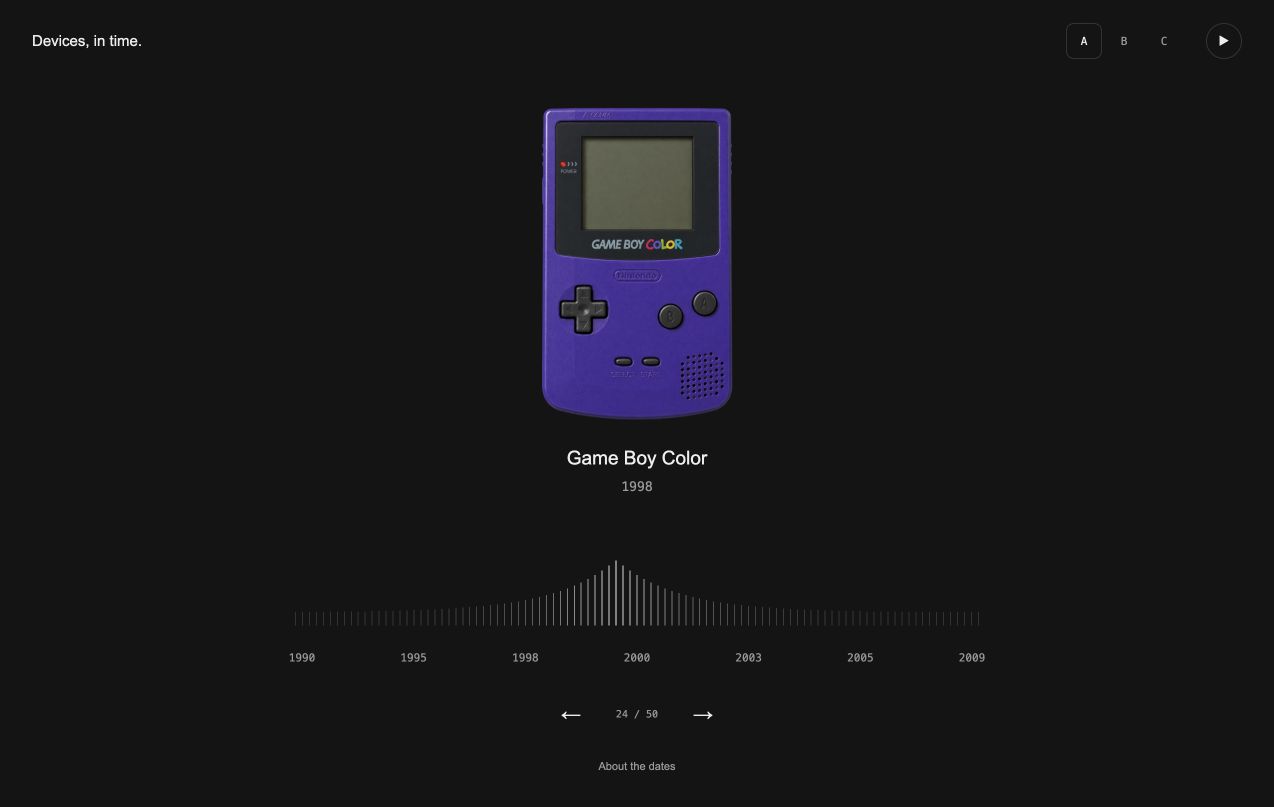
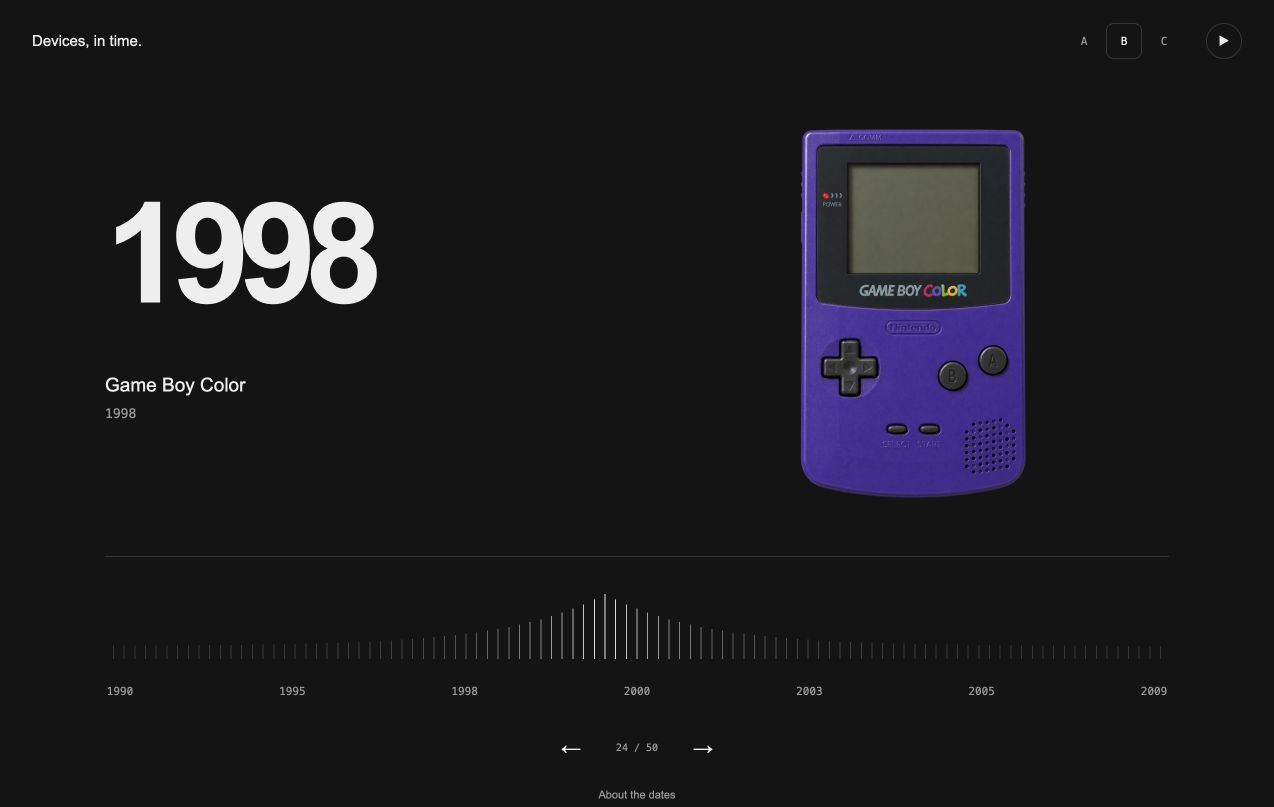
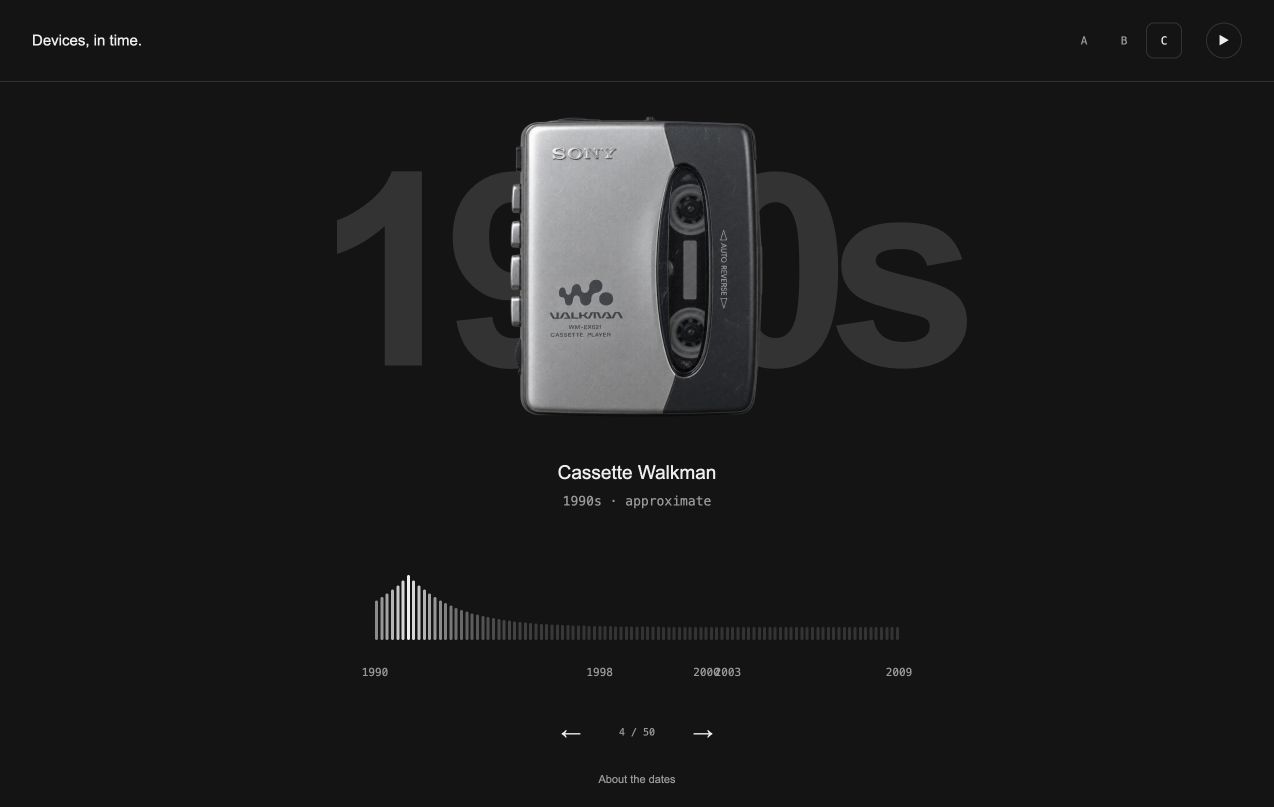
I pick one and iterate from there.
Do option C, but I want the timeline to be scrubbable, where I can drag my finger left and right across the timeline, and that will change the device.
From my instructions to a skill
My agents produce versions by default as I've had it in my agent instructions for a few months.
## design
- for mockups/prototypes or any non-trivial ui, layout, or copy build several distinct static mocks, then publish with the here-now skill
I should've spent more time on expanding those instructions, and I did experiment a little bit, but I recently bought a course from Emil Kowalski which includes his prototyping skill which has felt much better. So I'm sticking with that.
He has a free version of his skills which is almost as good.
/emil-prototype lets work on designs for a leaderboard
It added three new versions of the leaderboard view.
I didn't love any of them really but thought we could find something by picking the best-of-a-bad-bunch.
lets iterate on the podium. lets get creative with it.
After encouraging it to get creative it came up with the 'Race' version which I felt worked well. I shipped it.
I edited my agent instructions to use the Emil skill, in combination with Here Now, which is a tool I use for publishing to a unique URL so I can check my builds remotely.
## design
- for mockups/prototypes or any non-trivial ui, layout, or copy use the emil-prototype skill. publish with the here-now skill
Agents' decide when to use the skills installed (unless you ask them not to), but I keep it in my instructions to combine it with the publishing workflow. I want every set of versions on their own URL (that I can throw away later).
Throw it away
Don’t be afraid to throw things away. Most of what you build will (or should) be. Lots of versions, different directions and new features are easy to produce but it's up to you to decide what work you want to put out there.
With the devices build, I started exploring if I added the sounds to each device.
lets get all the sound clips for the devices. use luna subagents.
The subagents went looking and found clips for 19 of the 87 devices. I was hitting usage limits at this point and this was supposed to be just a quick build so I stopped myself going in this direction.
Mock content first
Sometimes prototypes still can't feel like the right direction without the right content. At least, that's my experience.
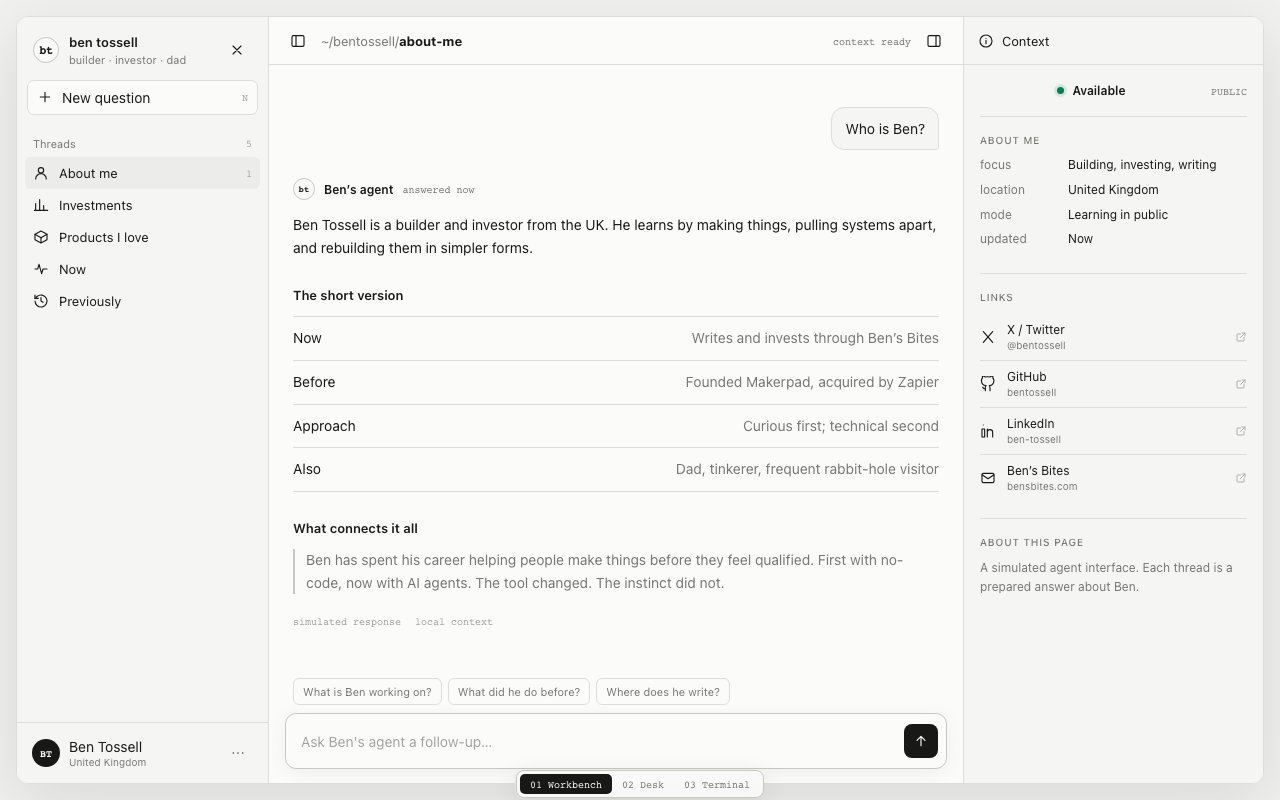
When I was exploring an agent-like interface for my personal website, if I'd got the prototypes without my information, I'd struggle to see 'the vision'. But with mock info, it's easier.
i want you to create a prototype of the ui, put it on a html file with pre-filled information so i can click around.
Draw on it
Iteration is a key part of my prototyping process. And I talk about talking to agents or getting out of trouble in other parts of this site.
One of my favourite ways to iterate is using tldraw. I screenshot the build, then paste into my canvas and start drawing. I highlight, annotate and sometimes recreate the basic layout to explain what I want - like a wireframe.
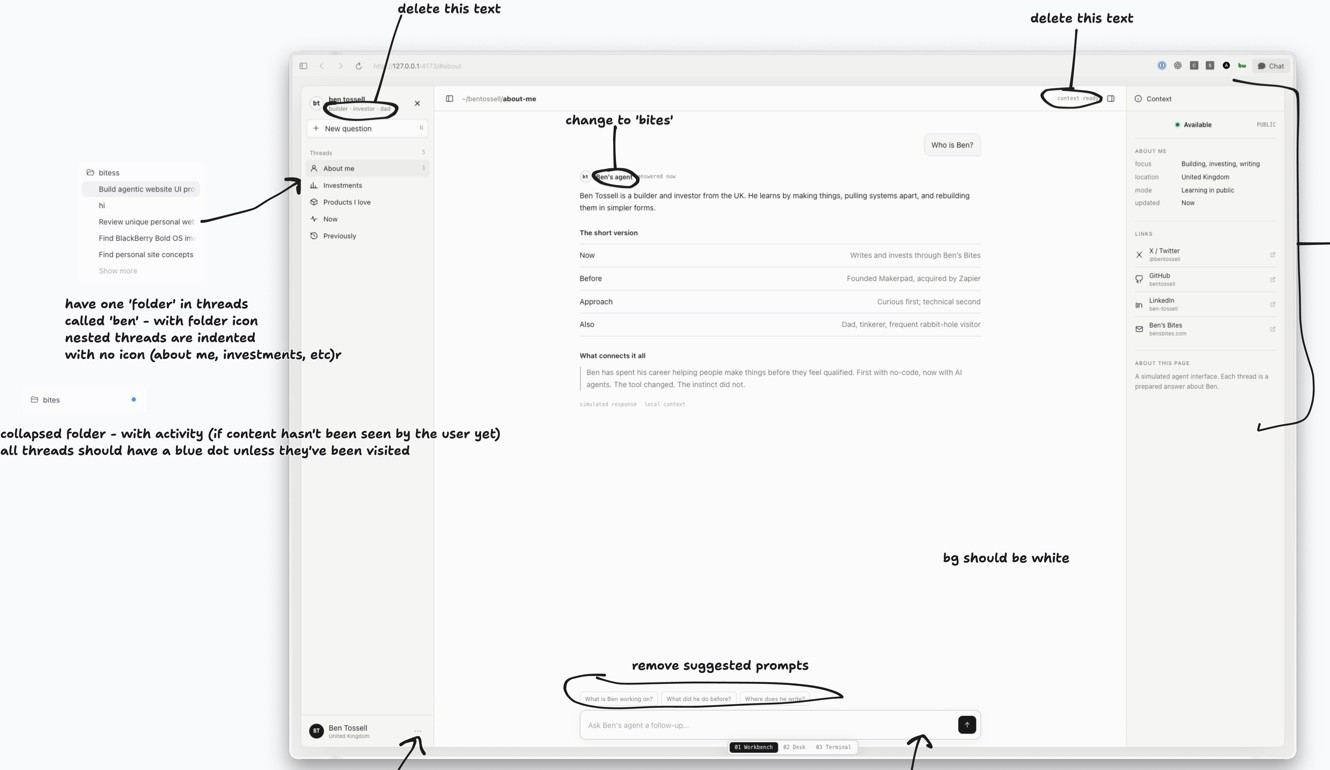
i've annotated a bunch of changes and feedback. […] implement the changes.
Agentation is another way to give this kind of feedback. You click an element on your page and write a note, and it copies your notes for the agent with where that bit is in the code. I just forget to use it. I should probably put it in my instructions.
Put it on a real address
I briefly mentioned publishing my prototypes already. When an agent builds a website, it’s on ‘localhost’. Only your computer can open it. Publishing gives it a proper URL.
Here Now comes with a skill that agents use to publish. It spins up a new random URL and if you have an account it all gets linked to you.
Same prompt, several agents
Sometimes I give the same prompt to more than one agent. It's some version of the prototyping flow, I think. I see what the same models produce with different harnesses.
Then, like my flow, I pick one and go from there.
Notes
- I don’t know what I want until I see it, so my agents always make versions. I pick one and iterate.
- That used to be one line in my instructions. Now it’s Emil’s prototype skill, published with here.now.
- I throw most of it away. The sounds on Devices didn’t make it.
- Mock content, so I can see the vision.
- Screenshot it, draw on it in tldraw, send it back.
- Sometimes the same prompt to several agents, then pick one.